Files and Updates
Do I need to update the model?
No, updating the model is not required. If a new update does not include any new parts, features, fixes, or changes that you want to use, it is recommended to stay on your current version.
For customizable models, adding more parts can slightly increase the runtime load. The increase is usually very very small, but if you do not need the new additions, there is no need to update.
Please read the update notes for full details about each version before updating.
How do I get the newest release when there is an update?
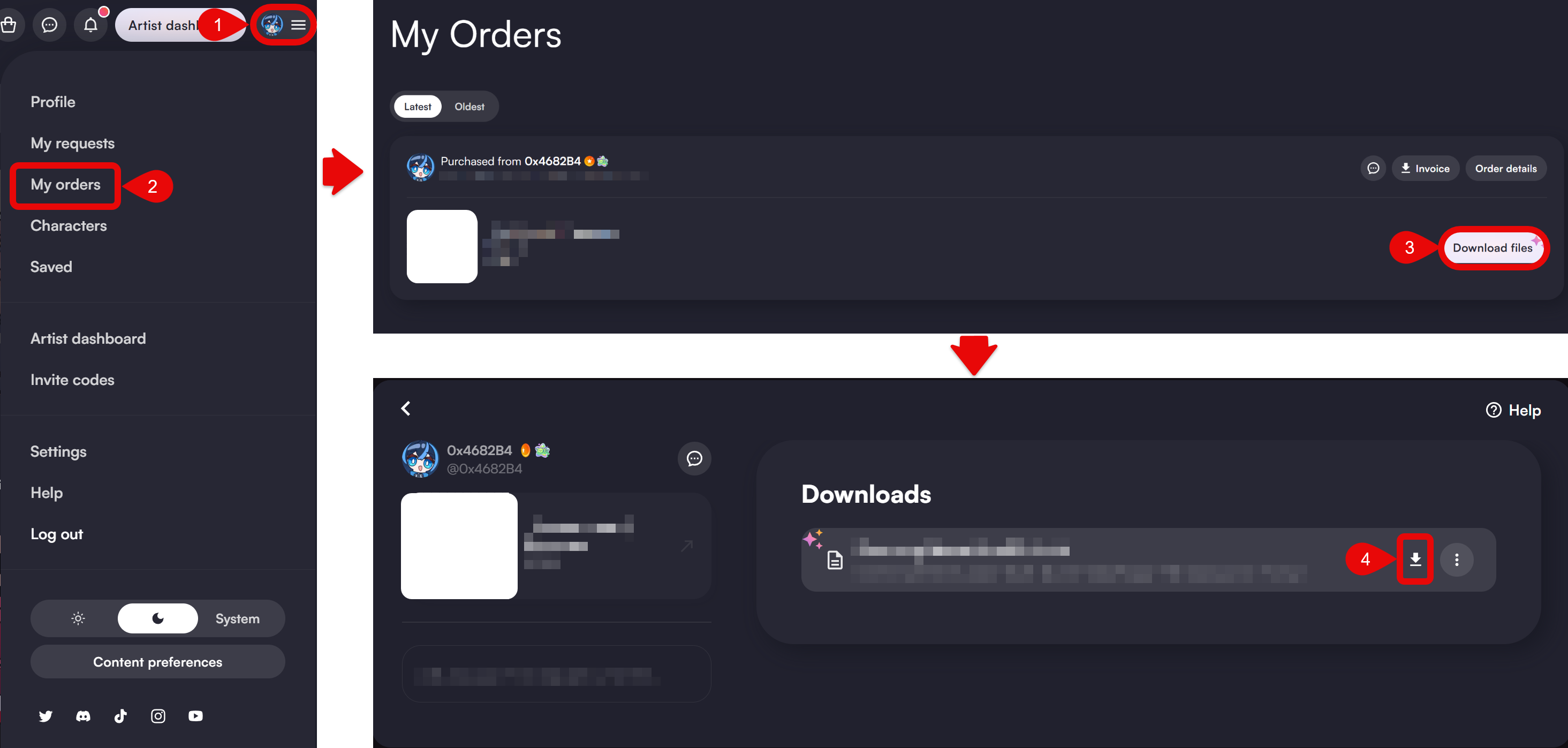
VGen
Account > My Orders > Corresponding product > Download files
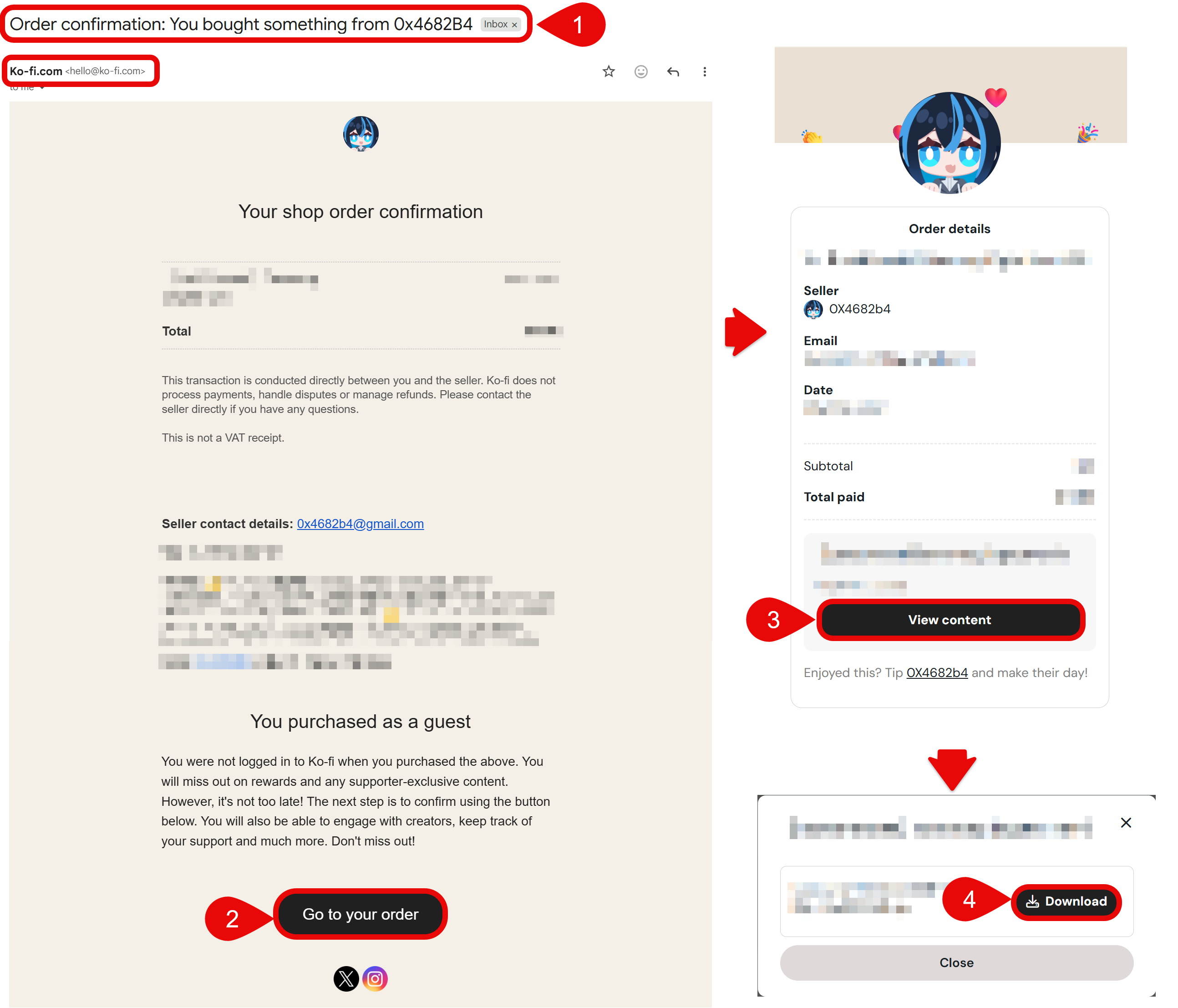
Ko-fi
Order confirmation email > Open your order > View content
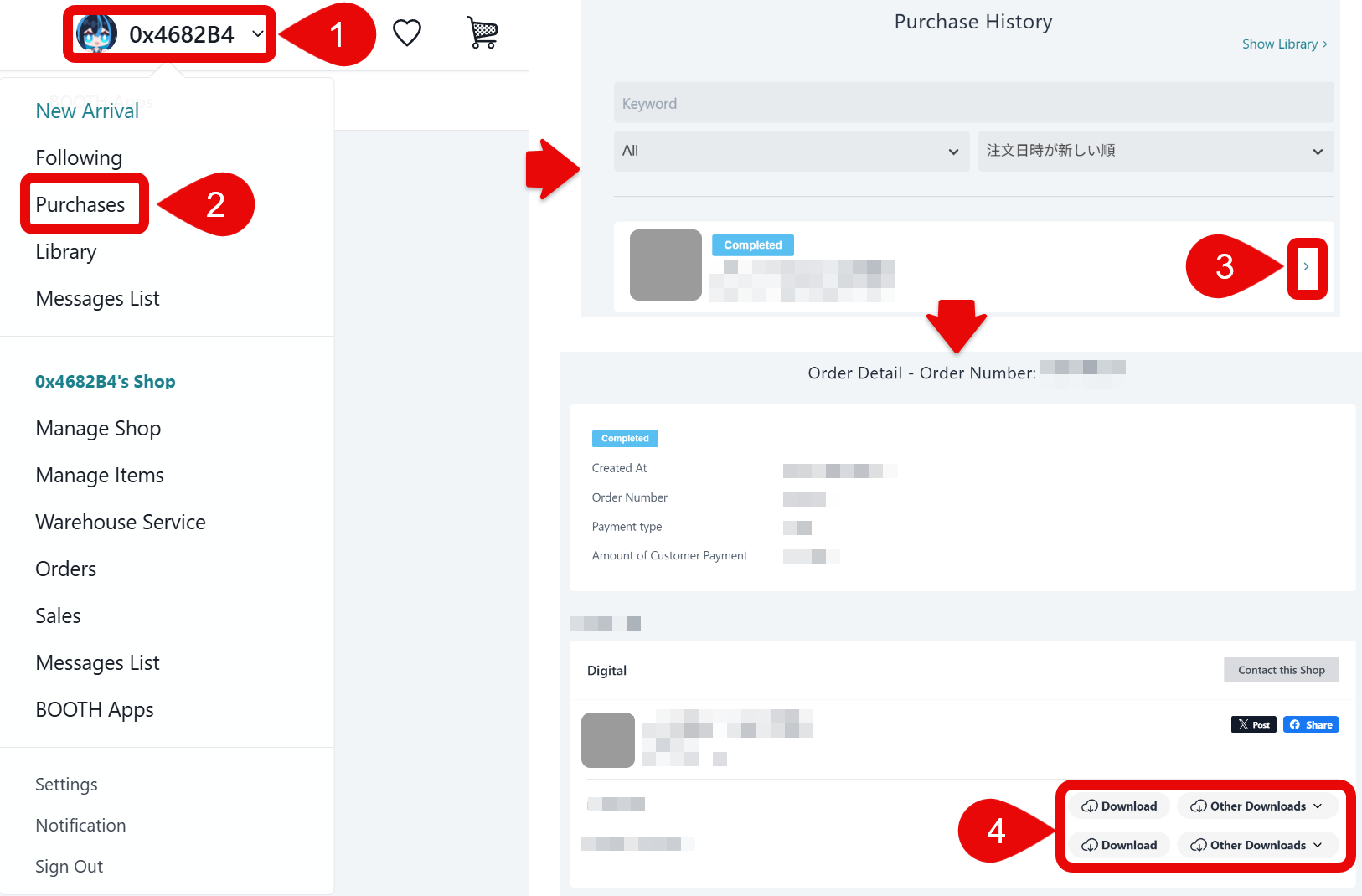
BOOTH
Account > Purchase > Corresponding product > Download files
What if I accidentally lost the downloaded files?
In most cases you can download again from the same place as above. Your purchase is tied to the platform account or email, not to a single download.
What if I lost the order confirmation email?
Please check your spam or promotions folder first, and any alternate email you might have used at checkout.
The order system is managed by the sales platform, not by individual sellers. We are unable to resend or regenerate those messages for you.
If it is still missing, please contact the platform support directly. They can verify purchases and help with account or delivery issues on their side.
What if the product is not showing in the order list?
Double-check that you are signed into the same account you used when you paid (email, social login, or region-specific site can differ).
Purchase records and libraries live on the platform. Sellers are unable to restore a missing listing. If you believe you are on the correct account and the item still does not appear, please contact the platform support directly.
Can you provide extra files not included in the product?
The package is exactly what is listed on the product page. Additional files outside that list will not be provided, so everyone receives the same clear bundle and license scope.