Lost Tracking Animation Not Working
If the model does not play the expected animation when tracking is lost, check these two areas in VTube Studio.
-
Assign a lost-tracking idle clip under Idle Animation (tracking lost).
Clips meant for this slot often include hints in the name (for exampleIdle - lost trackingorIdle - sleep). A clip named onlyidleis usually the normal idle, not the tracking-lost idle. Make sure the right animation is assigned.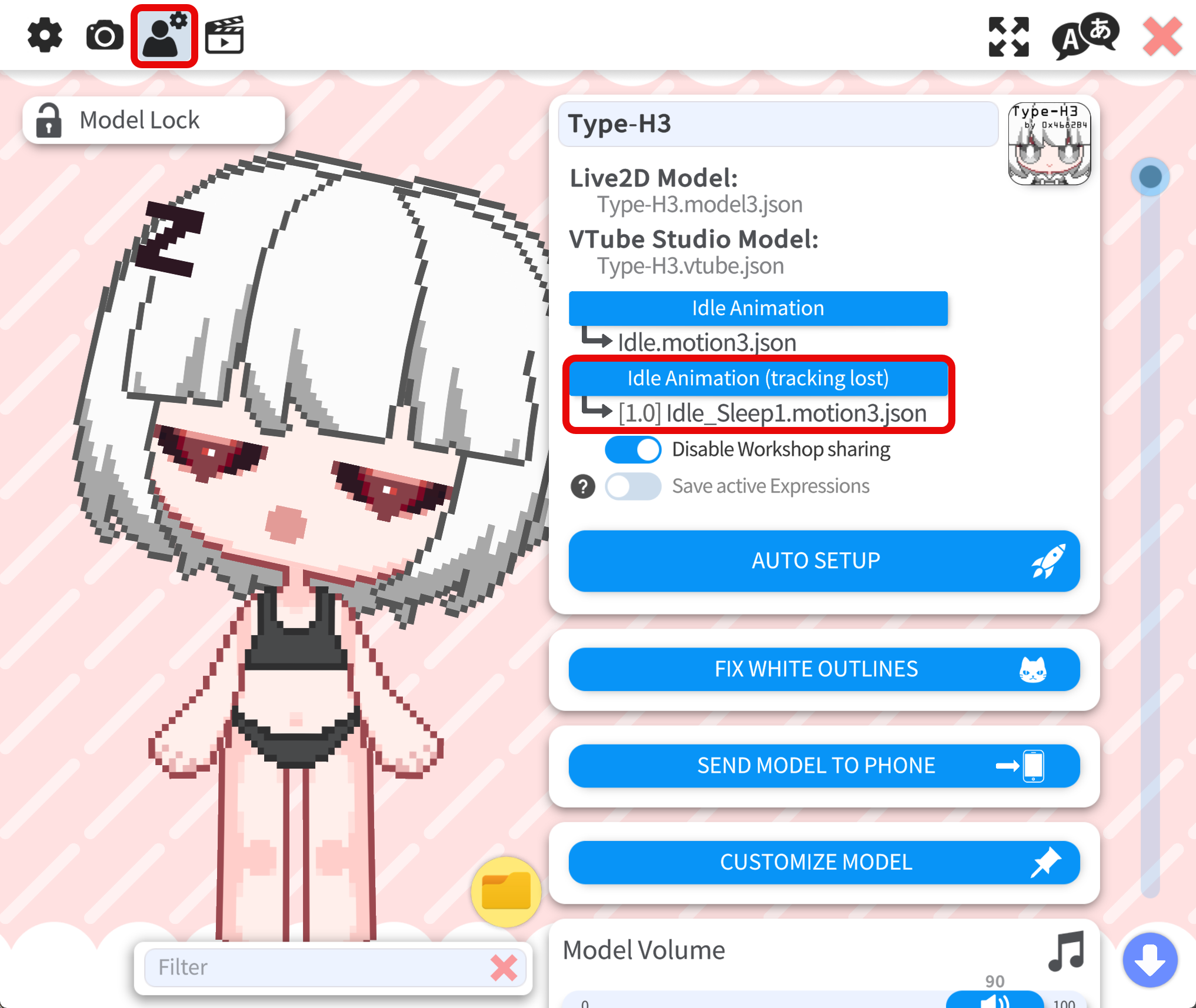
-
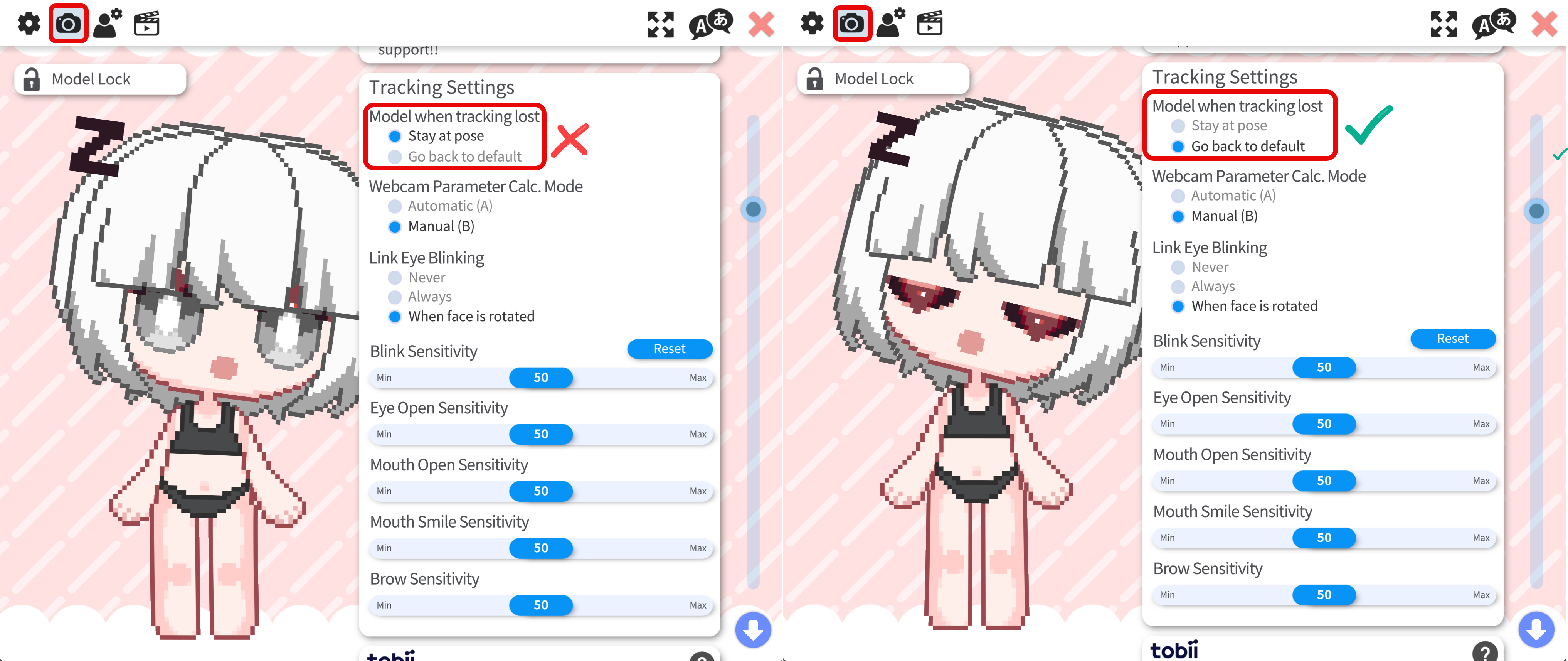
Set Model when tracking lost to Go back to default.
With Stay at pose, tracking parameters will be frozen at the last tracked pose, so the lost-tracking idle never takes over those parameters. Most lost-tracking idles assume the model returns to the default pose for the animation to take over the tracking parameters.