Render Issue
If you see weird white/black lines or fuzzy edges on the model, especially around the mouth and eye area, make sure to turn on the anisotropic filtering in your GPU settings.
For NVIDIA GPU:
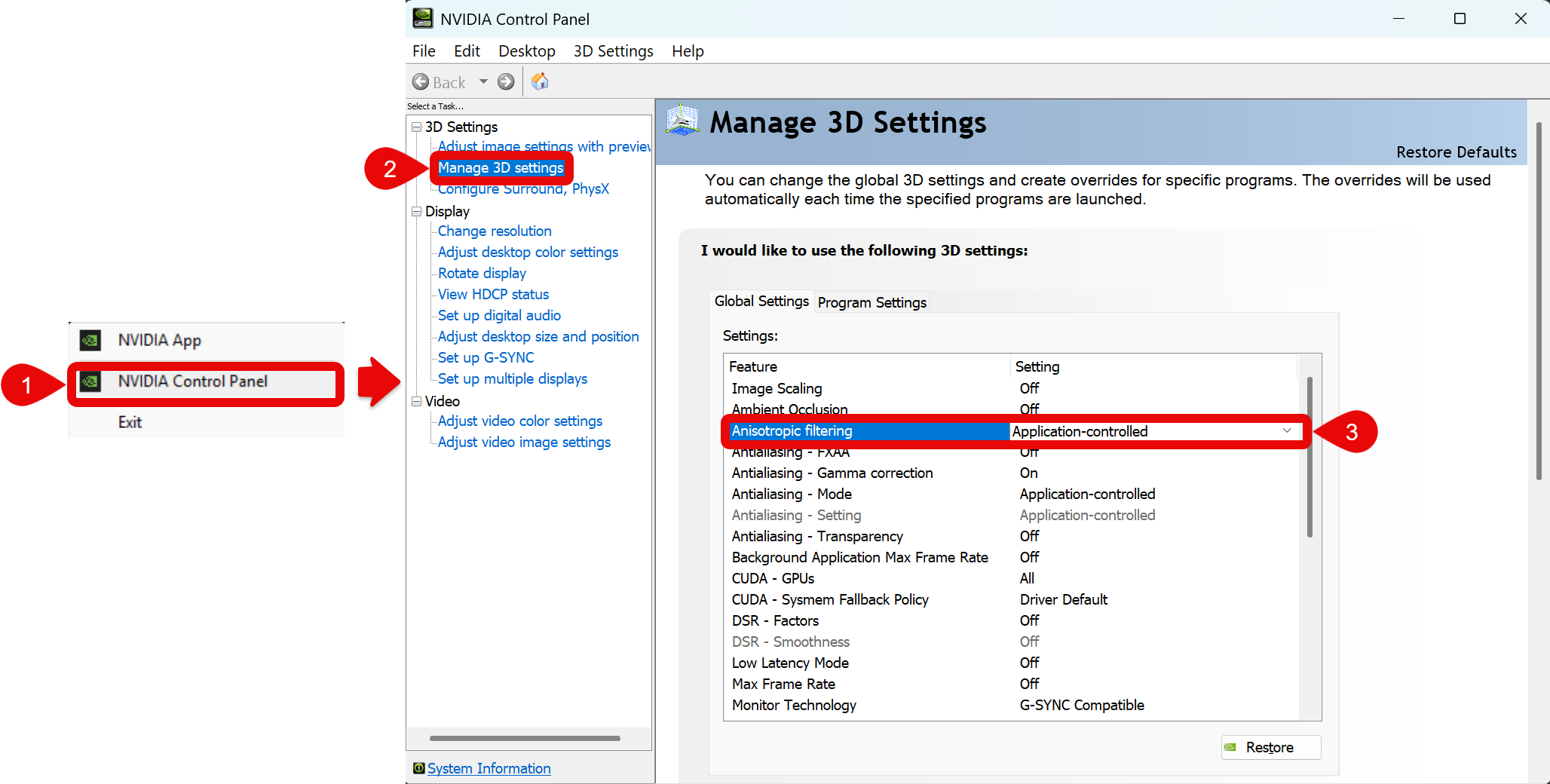
- Go to NVIDIA Control Panel
- Go to Manage 3D Settings
- Set Anisotropic Filtering to Application-controlled.