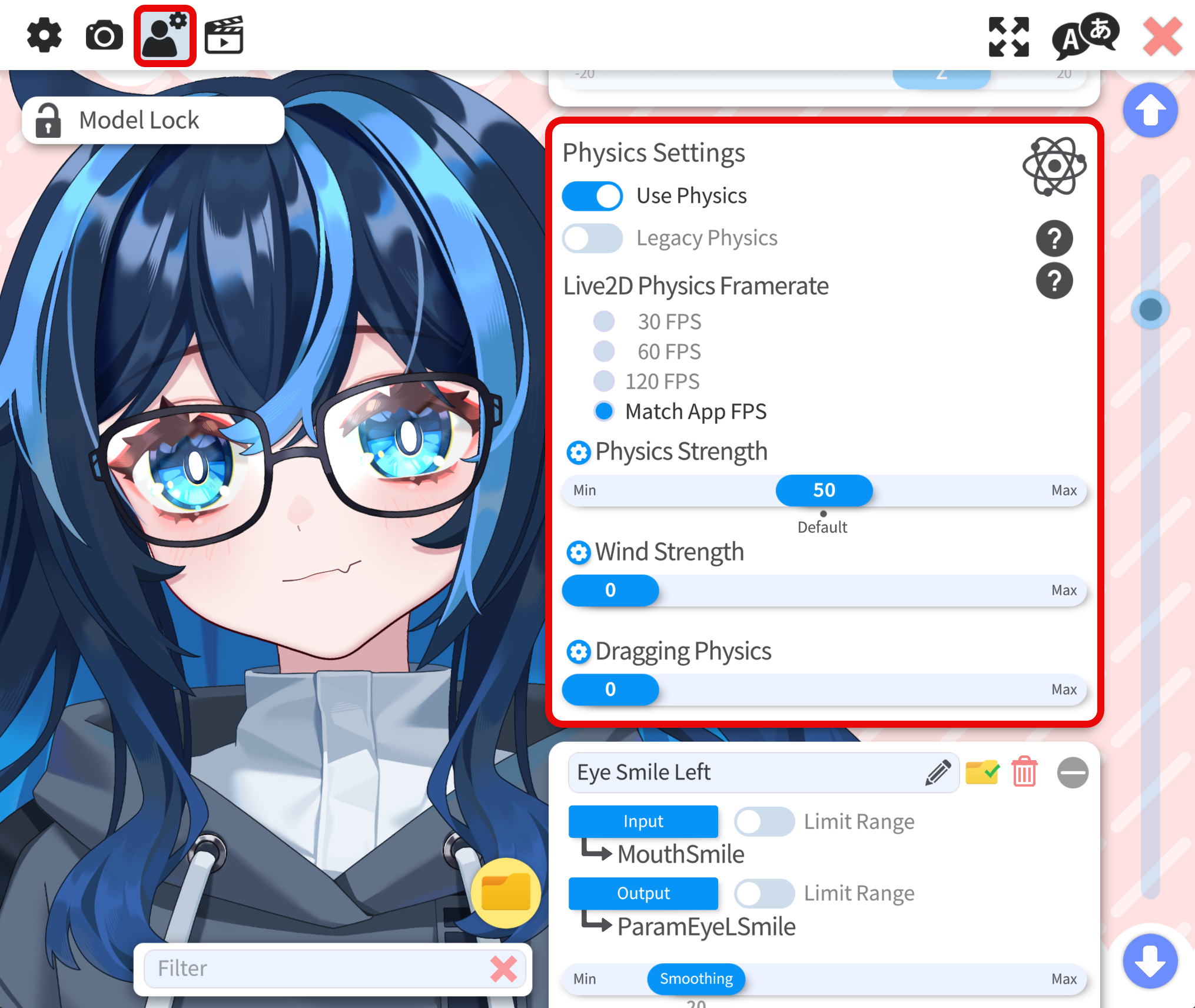
Physics
Do NOT change physics settings. These values are tuned by the model rigger for that specific rig. If physics suddenly looks wrong, first confirm you are still on the intended defaults (see below).
Signs that physics settings were changed (or are not at defaults):
- Too much motion: The whole model overreacts to tracking. The movement of the hair, clothes, and even head or face feel too exaggerated. That often means physics strength was raised above the default.
- Drift or motion with no tracking: The model keeps moving or bobbing when tracking is off or idle. That often means wind strength is not zero, so VTube Studio keeps feeding a wind-like signal into the physics simulation.
Older rigs mostly used physics for hair and clothing, so turning strength up a little sometimes felt harmless. Many modern rigs also route head angle, mouth, and other core motion through physics for livelier movement. Raising strength globally then makes everything overshoot and fight the rigger’s tuning.
Wind adds a continuous input to the physics solver. When only hair and cloth used physics, a small wind value could look fine. For modern rigs that use physics for almost all movements, any non-zero wind can make those parts drift or wobble even when you are not moving.
If you want the model to move more, consider adjusting the parameter mappings. The motion range of the model is limited by the model itself and cannot be truly expanded, but adjusting the parameter mappings can help you get the most out of the model.
Restore the Default Physics Settings
If something looks off, reset to the values the model was built for:
- Physics strength: 50 (default)
- Wind strength: 0