Parameter/Hotkey Group
This feature allows you to group parameter bindings and hotkeys by category for easier management. Some model settings have preconfigured groups, you can use this feature to edit them.
Add/Edit Group
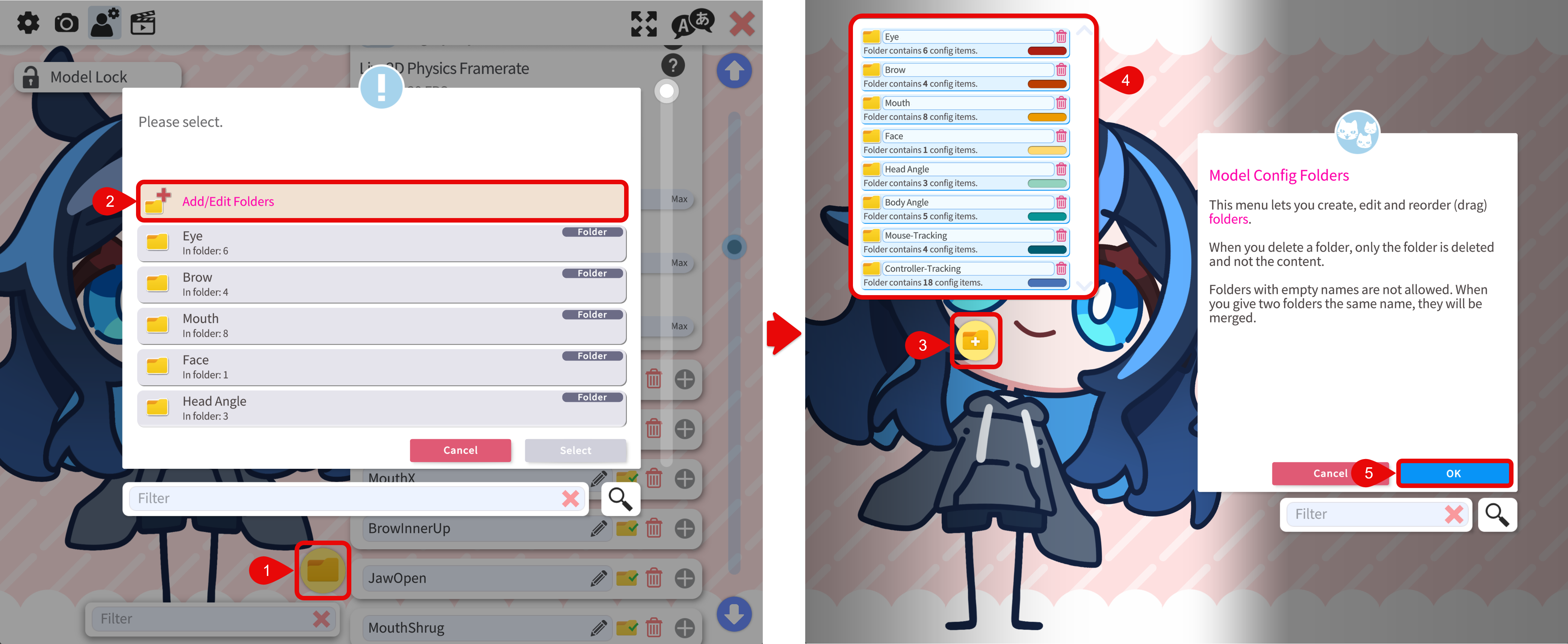
- In the parameter binding or hotkey section, click the folder icon.
- A dialog will pop up. Select Add/Edit Folder to add a new group or edit an existing group.
- Click the + button to add a new group.
- Existing groups are listed in the menu. You can click the group name to edit its name, click the trash icon to delete the group. You can also assign a color to a group.
- After editing, click the OK button to save the changes.
Assign Parameter to Group
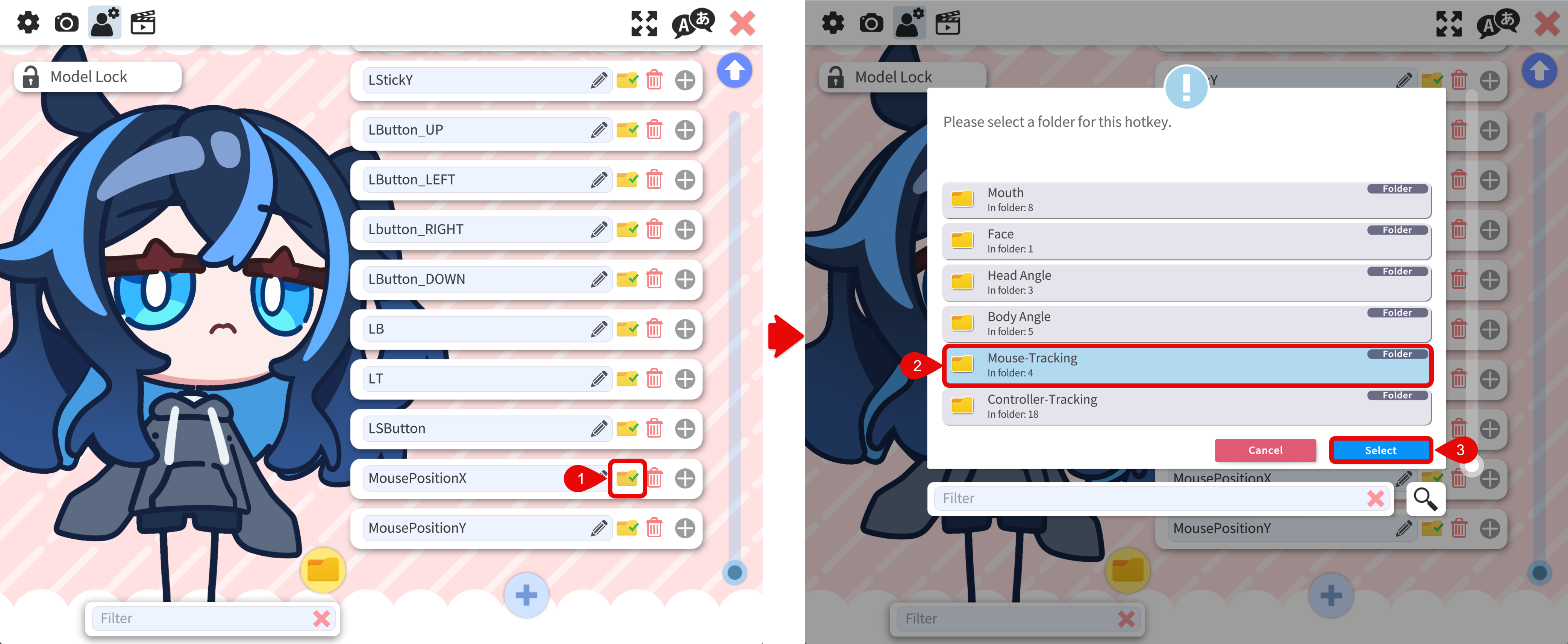
- To assign a parameter to a group, click the folder icon in the parameter binding or hotkey section.
- A dialog will pop up, allowing you to select the group you want to add the parameter to or move the parameter to.
- Click the Select button to assign the parameter to the selected group.
Filter by Group
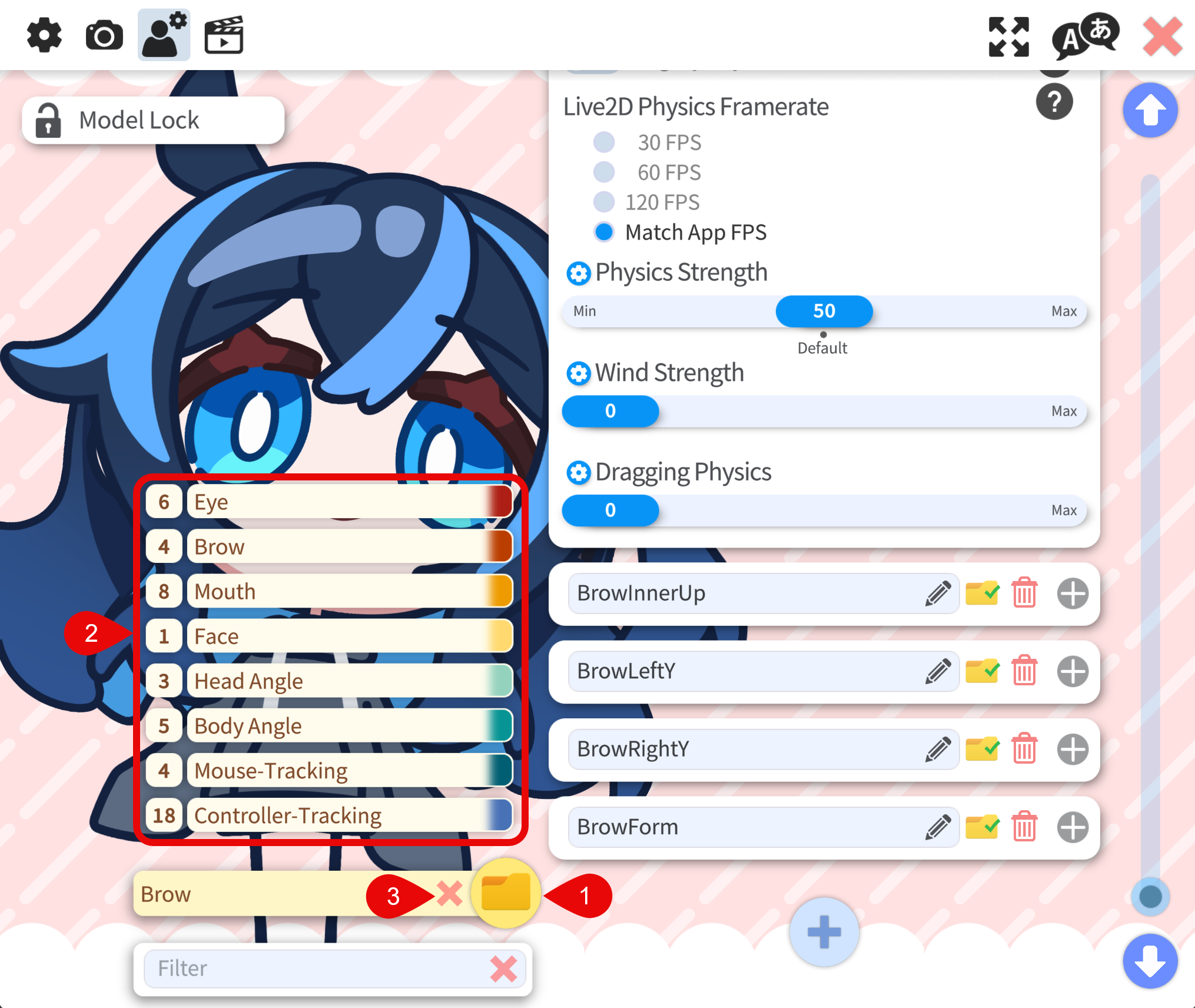
- In the parameter binding or hotkey section, hover over the folder icon to see the a list of groups.
- Click the group name to filter the parameters by the group.
- click the x icon to clear the filter.